Email is good for delivery, but a long project also needs one ordered record of updates and decisions.
How the email thread problem develops
A weekly update may arrive beside invoices, calendar notices, approval requests, and unrelated conversation. A client can read it on 12 May and struggle to find it a month later.
Subject lines change. Someone starts a fresh thread. Another person replies only to the latest message and removes earlier text. Attachments stay with one branch of the conversation. Search can find messages, but only when you know the words, sender, or date to search for.
The burden grows with time. In the first week, everyone remembers the context. After three months, "the change we agreed in March" may refer to several messages in several inboxes.
You repeat yourself
Fragmented communication makes you answer the same question more than once. A stakeholder asks for the current date, even though you sent it last week. A new colleague asks why a feature was removed. You search your sent folder, copy an old answer, and add the missing context.
The client is not necessarily careless. They may not have received the original thread, or their access may have changed. They may also be reading on a phone between meetings, which is not a good setting for reconstructing a project from quoted replies.
Repeating an answer takes little time once. Repeating dates, decisions, and reasons across a year creates unnecessary work and increases the chance that two answers differ.
Agreements become hard to trace
An email reply can record approval, but reads, reactions, and casual comments are not always clear decisions. "Looks good" might approve the whole proposal or one image above it.
Record the decision in the next update using plain words. Name what was approved, who approved it when relevant, and what the approval changes. You are not replacing the original email. You are adding the decision to the project history where both sides can find it.
If the agreement changes money or legal duties, follow the contract process as well.
Searchable does not mean complete
Most email services provide search and retain substantial history. The practical limits are fragmentation and access, not the literal absence of a searchable record.
Your sent folder contains what you sent, while the client's inbox contains what they received under that account. A person who joins later may have neither. Company retention rules, archived accounts, forwarding, and private side threads can leave each person with a different view.
Search results also lack a clean sequence. Messages about one decision may be mixed with drafts and later corrections. A reader has to work out which statement is current.
Keep the status update email and a stable history
You do not need to stop sending updates by email. Delivery is one of email's strengths because the message arrives where the client already works.
Keep a second copy on one stable page for the project. Put updates in chronological order and give each entry a date. When a decision changes, state the new decision rather than silently editing an old update. The history then shows what people knew at each point.
Use the email as the current status update and the stable page as the full record. Include the page link in each message, so a reader can move from today's note to earlier context without searching an inbox.
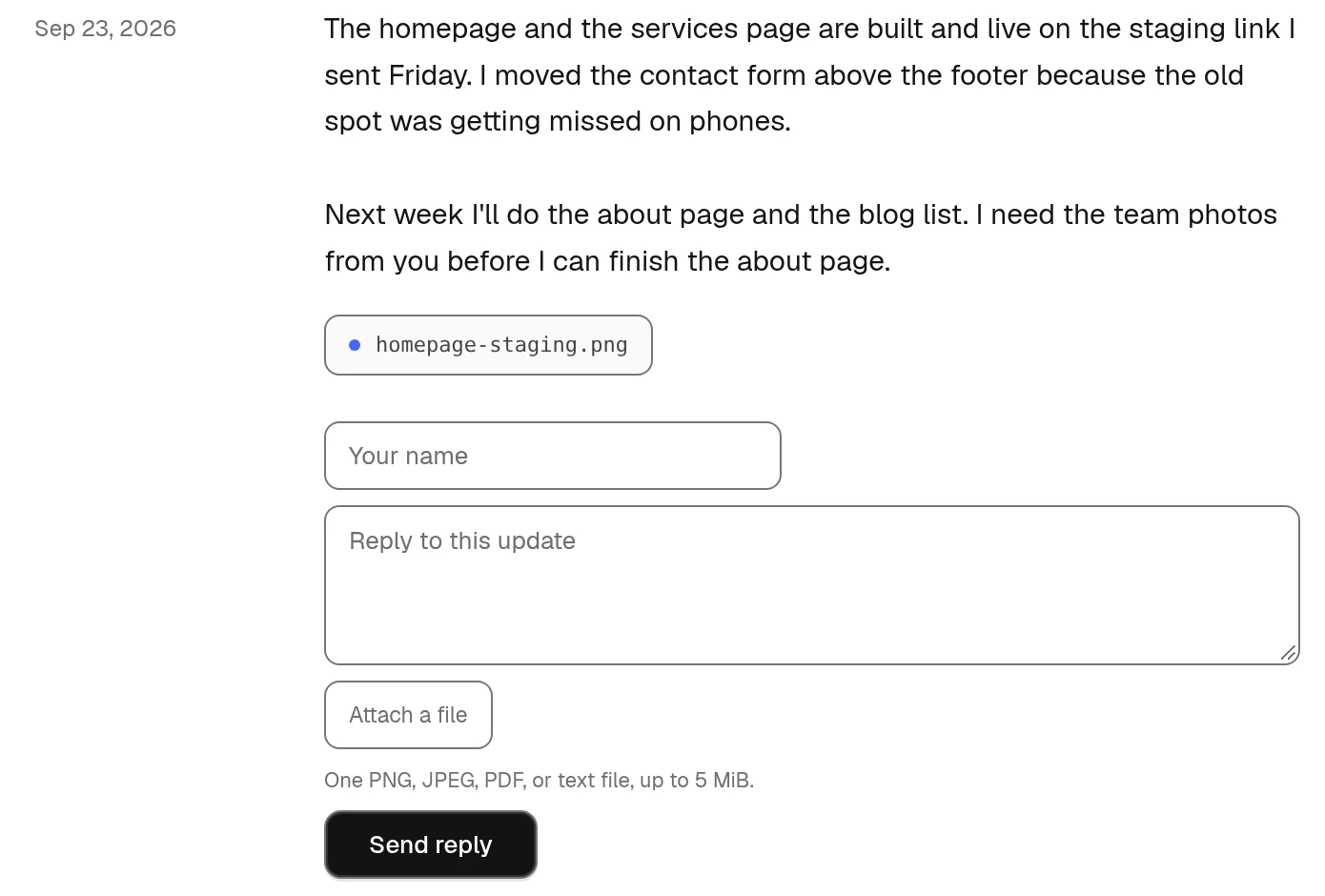
Clients can reply under a Friday update without creating an account. Replies sent by email are not added to this page.
Make each update stand on its own
A lasting record is only useful when entries are clear. Avoid "as discussed" unless you also state what was discussed. Name the deliverable, date, cost, or decision.
Write enough context for a person who was absent from the call. You do not need to repeat the whole project brief. One sentence explaining why a decision was made is usually enough.
Use consistent headings for completed work, next work, client requests, and changes. The structure helps a reader compare weeks and find the type of information they need.
Handle corrections openly
People make mistakes in updates. Correct them without erasing the history.
Add a dated correction or explain the corrected fact in the next update. If the error could cause immediate action, send a direct correction as soon as you notice it. Do not wait for the weekly routine.
An open correction is easier to trust than an old message that appears to have vanished. It also tells later readers which information became current and when.
Give new people one place to start
When a new stakeholder joins, send the stable project page and point them to the latest update. They can read backward only as far as they need.
The page does not remove the need for a proper handover on a complex project. It does remove the ritual of forwarding a pile of threads with "somewhere in here is the background."
The weekly update guide explains what each entry should contain. The useful arrangement is simple: deliver updates through email, and keep an ordered copy where the whole project history remains available to authorized readers.
Friday uses that arrangement, with email delivery and one continuing page for the project's updates.
The same distinction applies to chat conversations and final records. Keep the message short with the advice on writing emails clients read.
Use the email drafts for routine updates and project decisions when you need a clear subject and a message you can copy.